


The simplest way to achieve simplicity is through thoughtful reduction.
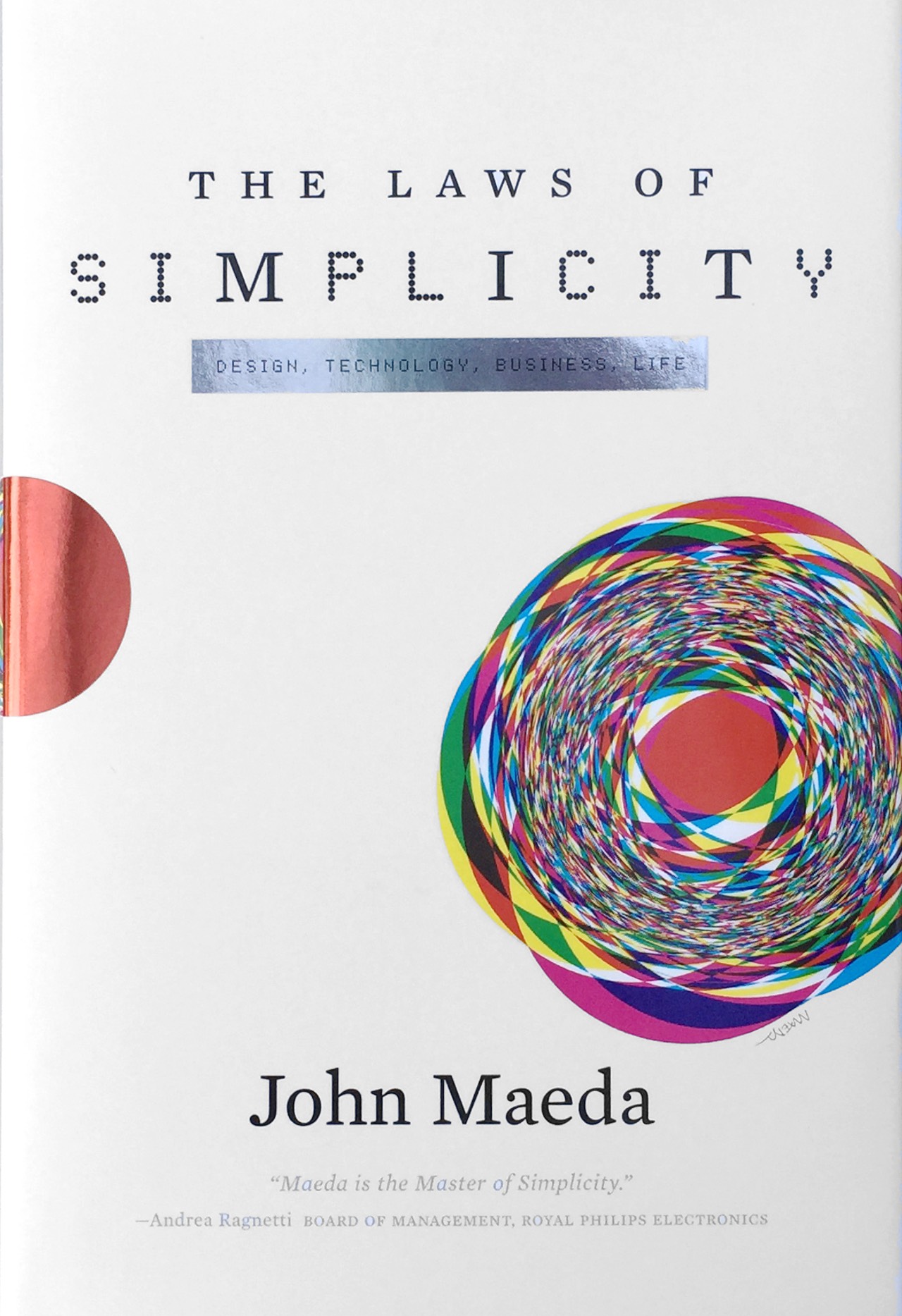
> Excerpted from Page 1 of my book, The Laws of Simplicity
The easiest way to simplify a system is to remove functionality. Today’s DVD, for instance, has too many buttons if all you want to do is play a movie. A solution could be to remove the buttons for Rewind, Forward, Eject, and so forth until only one button remains: Play.
But what if you want to replay a favorite scene? Or pause the movie while you take that all-important bathroom break? The fundamental question is, where’s the balance between simplicity and complexity?
|
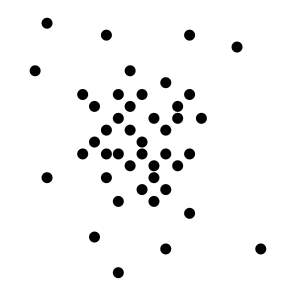
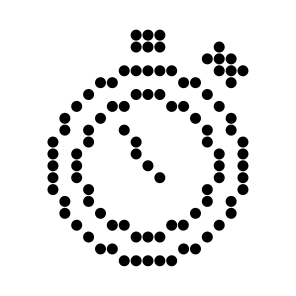
How simple can you make it? |
![]() |
How complex does it have to be? |
On the one hand, you want a product or service to be easy to use; on the other hand you want it to do everything that a person might want it to do.
The process of reaching an ideal state of simplicity can be truly complex, so allow me to simplify it for you. The simplest way to achieve simplicity is through thoughtful reduction. When in doubt, just remove. But be careful of what you remove.


Disabling Professions
Law 2: Organize
45 Responses to “Law 1: Reduce”


Its a never ending cycle. How much does everyone want?
the type of reduction you are referring to implies a static process result (i acknowledge that many products are – but do they need to be?). i would rather head for organic adaptability, which would also accomodate for § 4. some of the best models for utmost simplicity are propably still found in every part of the biosphere.
Adaptability is an important consideration of products today that can shape shift (like B&O products) as well as have display screens that can perform many dynamic display tasks. That said, biological systems are such wonderfully robust instances of adaptability that we don’t really see in our manmade world. Biomimicry and so forth provide great insight, but our manmade items seem so limited and brittle. Perhaps what Sascha suggests is the incredible simplicity of nature. There is infinite appeal there for certain.
Charles Strite invented the toaster 10/18/1921!!
[http://en.wikipedia.org/wiki/Charles_P._Strite]
How much has the design changed?
Input = bread
Interface = leaver/dial
Output = toast
How different is a toaster from a dvd player?
I call it the blinking 12 syndrome. Sony comes out with the newest gizmo. Toshiba reverse engeneers it
and decides there is not a whole lot they can do with
the hardware. Someone says, “Lets add software functionality.” Who tests this junk?
I used to teach web design to high school students and this was my little lecture on developing useable interfaces.
Congratulations on your:
-clarity
-success w/the book
-duration at MIT *much props*
Your prespiration is my inspiration.
Travis Merrick
“First things first, but not necessarily in that order.”
Dr. Who
I wish I had you as my high school teacher Travis. In addition to your elegant toaster example, there’s also the example that Donald Norman uses in POET of the knob in the refrigerator for making the freezer colder versus the refrigerator colder. His point being that there’s no magical and separate “cold” mechanism for both the freezer and the fridge, but that instead a tradeoff is made by making the fridge warmer to make the freezer cooler and vice versa using the simple knob control. When I read this I thought, “Huh?” I had thought the refrigerator to be so much more complex of a device until then. Our basic kitchen appliances at the core, are truly simple devices.
Mr. Merrick: when bread starts coming with chapters and alternate soundtracks, then the toaster need a menu. If you feel that DVD players are too complicated, I would disagree.
The problem is that DVDs are constantly being authored that do not play when you put them in the player and press “play”–they start a menu. Then to add insult to injury, pressing “play” frequently still will not play the movie, you need to press “enter” on the onscreen “play” button. DVD’s have been with us eight years now, it’s about time to get the “play” button right!
Much of the DVD authoring software is to blame for the complex startup screens. “We do because we can.” I too hunger like Erik for a DVD player where you insert the DVD and it skips over all the extra material and just starts the movie. Seems odd that we had it with VCRs but lost it in the DVD world.
Erik, John
to produce professional DVDs you have all options, I use Apple’s DVD Studio Pro. Just in my last job I authored the DVD that the movie starts immediately and after the end of the movie the menu with additional options comes up.
Your article encouraged me to do that from now on. The users need to get used to it, normally when I watch a DVD I put it in the player ahead of time and come later back to the screen when the start menu is playing.
The advantage of the immediate start is: the audience gets surprised by getting what they want unexpected fats! Thanks for the inspiration.
I hope to view your DVD’s on the market soon Sylvester. It’s such a simple idea that makes sense.
Sometimes a satisfactory balance of simplicity vs functionality cannot be achieved. Some people would need a particular feature, but for others it would just add clutter. You said “when in doubt, reduce”. I would add “when cannot reduce, divide”.
As an example, a simple 4-buttons DVD player would be great for household use, but would be of little use for a professional video editing studio. And the good old one-button toaster would definitely don’t work for a baker who needs precise temperature and time control.
It is often a good solution to provide a simple version for users that just want the job done, and an advanced version for people really needing more functionality. This approach has been successfully used by software companies for years, being the clearest example Apple’s Pro Apps and iApps.
Of course, all approaches taken to the extreme are bad. In this case, more than 2 or maybe 3 versions would just increase complexity again.
I think that’s what’s most tiresome — even for the simple Apple apps — is that the versions keep going up. I find it impossible to keep up to date!
Sometimes less is more.
Roman’s echo reminded me of how there are sites on the Web that post (illegal?) vintage versions of software titles like here for Mac.
On Peter’s question “How much does everyone want?”,
answer would be “One wants it ALL!”
My question usually is “How much does one need?”
I take control over clutter in my environment, in my designs and in my everyday life. I implemented my own clutter reduction program by asking this “SIMPLE” question when I am about to make a decision: “is this a WANT or a NEED?”. The rule is, if it is a want, it needs to replace something, often more complicated. If it can not, then I do not acquire the item. If it is a need, return needs to be always justified, can be dollars or time, but it does need to be justified, unless it is a little gift for myself.
Zeki, I think another layer to add to your excellent point on want versus need is pain versus . We want more pleasure; we want less pain. How much pleasure/pain is associated with a particular want or need. Best wishes, John
Dr. Maeda,
Thank you for your book on simplicity. I’m glad someone is thinking about this as a science. As a chip designer, I find a lot of complexity, and am continually trying to simplify it just so I can remember to fit in what I need.
Anyway, there are two common points obliquely related to SHE that weren’t mentioned in the book. The first is what I call ‘hidden state’, when a button changes function depending on the internal state of the device.
However, if you can’t tell the state, the function of the button can get amazingly confusing.
Say you’ve got a cable box, a tv, and a dvd player, all with toggle on/off switches and a tiny power light somewhere on each box, all of different colors. It can be hard to tell if they are all on.
Comcast has an ‘all on’ button on the remote to try to fix this. Unfortunately, it drives my wife and I crazy, as it often turns the cable box on and the TV off because of other button presses since they were last both off.
I’ve seen this issue all over the place in software as well as hardware.
Another common annoyance is the blinking time. It has taken roughly 30 years for DVD/VCR manufacturers to realize that if it doesn’t know the time, it shouldn’t show it. Sadly, the coffee maker and oven guys still haven’t realized this, so every time the power goes off we have a sea of devices with blinking time.
Thanks again for the book. –glenn keller
Glenn, Thanks for your points. I’ve never seen an “all on” button but I can imagine it’s a frightening thing to push! After many years I’ve finally gotten rid of my own problem of the blinking VCR time display by replacing the VCR with a DVD player which doesn’t seem to care about the time
Best wishes for the New Year, John
In software design, the default setting is crammed with whole lot of features. For example Outlook comes with default setting show all kinds of features like mail, calendar, task etc and whole array of buttons.
I wish to have all default settings embrace the simplicity.
Hello Karthi, I agree that things start out as “more” with the attempt to pull the user into the “cool and fantastic party” that they are missing out on. But some of us don’t go looking for such parties
I’m certainly in that category. Starting out simple, and then gradually revealing complexities seems a healthier approach. But in the end it is a matter of preference. Simplicity now, complexity later? Or complexity now, simplicity later? Regards, John
Why isn’t “direct manipulation” mentioned? The design principle of “direct manipulation” expresses several laws (reduce, time and trust) while adding the idea that acting “on” is simpler than acting “in reference to”. We need to let users be as literal as possible, as direct as possible with the content of their tasks, not ask them to remember or to “hold on to that thought” or otherwise make abstract any task that can be made more concrete. Visualization is a big part of this process, and direct manipulation takes it to the next level in interaction design.
I was at an IT Government Conference this week near one of the hotels adjacent the MIT campus. I love visiting book stores (especially college book stores), so the MIT book store was a pleasant surprise, especially discovering your book. In reflecting back on my own experiences I struck a cord-I’m close to 46 years old, and “complexity” is becoming less and less attractive, and “simplicity” is becoming more and more attractive to me. In thinking back over my youth there was a time that “complexity” was very attractive and almost addictive. However, two constant interests I have are cooking and reading. Dabbled with cooking insofar as professionally in my youth while in college and have continued over the years. A fine chef can make the simplest ingredients a wonderful pleasant experience to consume, as well as to develop. Currently (last 6 years), I try to cook with minimal ingredients to find the perfect balance for the dish. In my youth I would try and master the complicated difficult dishes. My question to you-Is there a correlation to age/maturity/experience with the concept of “simplicity” v. “complexity”? Could it be cyclical? Or is there some mysterious algorithm innate in us all? Sometime later in my life could I be attracted back to my youth, complicted dishes to put together? Again, thank you for your wonderful book.
In my experience as a software developer the most challenging part of the project is getting the clients to state their needs/requirements. Often there is such a conflicting and complex set of requirements expressed that sorting it out into the essential vs the extranious becomes a risk to the project itself.
Later when the programmers get their hands on it they add a load of complexity by virtue of the many things that can be done contrasted with those few simple things that must be done.
Occam’s Razor is the best guide: sufficency beats complexity every time but knowing the difference requires insight and wisdom. These are in short supply is many organizations.
You might enjoy looking into requisite variety to help understand how simple something can be in relation to its environment
http://pespmc1.vub.ac.be/REQVAR.html
Thoughtful reduction is great, if the person who uses a tool/technology is also the person who designed it. The problem is that too often what is done for the sake of “simplicity” ends up being more of an inconvenience because of the assumptions made by the designer - especially in unpredictable situations. While adding more options is not an effective solution, broad and convenient options should always be provided.
A balance can be found in allowing “convenient options” as a cure for “poor design assumptions.” Some examples of poor design assumptions and their solutions:
The bathroom in my college dorm had a motion-sensing lighting system. This was convenient at times, but not when it came to using the bathroom at 3 am without being blinded! And it actually wasted electricity during the day, as the room had large windows. Poor assumption: that users of the bathroom always need light. Solution: allow the user the option of turning off the light when needed - or, the sensor system!
My father-in-law’s car locks automatically when you close the door. There’s no option to leave it unlocked! As you can guess, his keys can sometimes be found locked in the car at inconvenient times. Poor assumption: that automatic door-locking always saves time and encourages safety. Solution: allow the user the option of turning this feature off.
My car, like all cars these days, has a computer chip in the key. This is so that the car will only start with my key, and with no other duplicate keys (unless made by the manufacturer). What happens if I lose my key and have no spare? My car can never be started again without reconfiguring the locking system of the car for thousands of dollars. Assumption: that I am so protective of my $10,000 car that I would let Toyota deny me the possibility of having more keys made at the local hardware store. Solution: give me an option!
My car’s headlamps come on automatically when I start the engine. But what if a murderer is on my property at night and I want to drive away without being seen? I can’t! I’m dead! Poor assumption: that lights are never detrimental to driving. Solution: obvious.
The last example may sound extreme, but it’s not. Too often - especially with cars - design assumptions leave the user powerless, and even in danger. What designer presumes to know enough about my experience to administer choices in what is assumed to be my favor? Design is power. Beware poor design assumptions.
Zac, Your example of the headlights coming on automatically when you are trying to hide from danger is powerful. There is a branch of artificial intelligence trying to figure out how to get machines to have “common sense”. Seems hard enough for humans to have common sense sometimes (including me) so I wonder if machines can ever get there too. Thanks for your contributions everyone.
After reading The Laws of Simplicity, I started to push forward my research on simple design and found these design principles by Dieter Ram:
Good design is innovative.
Good design makes a product useful.
Good design is aesthetic.
Good design helps us to understand a product.
Good design is unobtrusive.
Good design is honest.
Good design is durable.
Good design is consequent to the last detail.
Good design is concerned with the environment.
Back to purity, back to simplicity.
And my favorite one:
Good design is as little design as possible.
Enjoy!
Love the last one! “Good design is as little design as possible.” So true. Thank you!
Truthfully, what you want and I want in a design may be two different things.
I recently discovered this when talking to some of our clients about our company’s web site. I was very suprised to learn the different reasons why they came to our site. After holding this position for 5 years, I thought I knew them all.
But it wasn’t until I had personal conversations with several of our users that I began to understand what they saw.
It is the proverbial “walking in another man’s shoes.” When, as a designer, I understand what the user wants, then I can create a good design.
But to take it one step further, I have to appreciate what all of the users want. Not just an ideal group, but also the real group.
Good design is a constant balance between delivering our message and listening to all of our clients. Not just the most valuable, the most important or the loudest.
Thankfully, my medium is ever-evolving
I suggest that you can simplify the DVD player system even further by not only removing SOME functionality, but by removing the DVD player altogether. The system attains absolute simplification when it is removed absolutely. The ideal state of simplicity is not a world with a properly balanced symplicity/complexity functionality of a system, but rather the ideal state of simplicity is a world in which we realize that things like DVD players, simplified or not, are less important than things like, war, poverty, and community. Cheers.
Simplicity is a measured property of something. Removing that something, removes its properties, hence there cannot be a simple DVD player without the DVD player. The ideal state which you refer to is a state you have achieved through simplifying yourself, not the DVD player. To simplify you further, I cannot suggest your removal to be your ideal simple form. I would still need you to exist to be able to talk about you.
Well said, and definitonally true. My point was ’simply’ that some systems (like the DVD Player) are superfluous or even detrimental to a healthy and compassionate world community.
Well said, and definitionally true. My point was ’simply’ that some systems (like the DVD Player) are superfluous or even detrimental to a healthy and compassionate world community.
The problem is that the more complexity goes something, more valuable it turns. To remove complexity many times is related to lose the inherent value. And this fact for itself turns complex in a world that turns capitalist more and more. It would be necessary a cultural revolution for the simplicity becomes again necessary.
I just wanted to express this thought!
Why did I have to go through all this complexity of writting my name, e-mail, and entering a passcode?
If basic is the same as simple then I would say entering one’s name, e-mail and passcode is simple, not complex, although the reasons behind providing these basic pieces of information are indeed complex. #1: to distinguish you from other commenters; #2: to trace your comment to it’s source; #3: if you choose, provide a link to much more information about you and what interests you; #4: if you can read and type the passcode, you’re probably not spam. So, yeah, Gasper, I’m with you, why do we have to do that? Why is the internet so complex that we have to leave our thumbprint in order to provide our two cents worth on a sight about the laws of simplicity! Law #5?
My mom had one rule for ‘dressing up’ to go out. Just when she was about to leave for a dance or a party she would look in the mirror and take one thing off. A brooch, a necklace, a hat, a scarf. This way, she felt she wouldn’t be ‘overdoing her outfit. She always looked lovely.
Your DVD remote can be simplified to 2 buttons, but no fewer. As there may well be a DVD present in the machine when you start you will need an EJECT button. Pressing this will slide-open the disc tray, or half-spit the disc out if it uses a slot loading mechanism. This disc can be removed and the desired one put in its place; pushing it into the slot until the mechanism “accepts it”, or nudging the tray so it closes. The DVD does not start to play at this point and if the remote is not quickly used the machine resumes its hibernation state (where it powers down all, but the parts needed to detect the remote’s use - this obviates the need for an ON / OFF button). Note: that the symbol for the EJECT button is rotated ninety degrees anti-clockwise, so that it appears to be a solid triangle pointing to the left followed by a vertical bar. A large visual gap ensures that this symbol is graphically isolated from the second button, which is a solid triangle pointing to the right - i.e. a PLAY button.
Amazingly, you can do everything you want to with just EJECT and PLAY if you allow their behavior to be context-dependent.
So, let’s assume we didn’t push the disc tray closed, if we press EJECT it can’t open the disc tray, so it is reasonable to have this case mean REMOTE-CLOSURE and it we press PLAY it may as well attempt to play what is in its tray, so doing this will also close the disc tray. However, if there is no DVD in there it should put a message on the television, and a “NO DISC” message in its display panel, if it has one (it may be so simple as to not have one…), yet if there is a DVD it will circumvent any “menu” encoded onto the disc and start playback.
Now assume that you get a phone call. If you press PLAY whilst it is playing it will PAUSE (if you are away a long time it should fade the display to prevent it from damage), on your return you may press PLAY to immediately resume from where you left it, but as you may have forgotten where you were, or stopped it mid-dialog, it would be nice to go back to the beginning of the scene. This is where a reverse picture-search button would come in handy, it doesn’t matter all that much if we rewind too far, so a forward picture-search button can be eliminated on the grounds of simplicity.
However, you don’t need a reverse picture-search button if you can only use the EJECT button to stop and eject when the DVD is already paused (or ceased playback due to it coming to the end). Therefore, when you return from your phone call you resume playback by pressing PLAY and then hold EJECT, which in this context will perform a single-speed reverse picture-search for as long as it is held down and resume playback on its release.
If you tire of the DVD before you reach the end then you will need to pause it by pressing PLAY and stop and eject it by pressing EJECT, remove the DVD from the tray, replace it with another and push PLAY again to play that instead. When you are finally finished, you may have opened the tray with EJECT to remove the DVD you can either push EJECT again to close it (or manually nudge it closed) and after an interval the machine will auto power-off - i.e. “sleep”.
This complex operational semantics is the cost you have to pay for extreme, nay, ultimate simplicity. It is in accordance with Law 5: DIFFERENCES, where you make your product complicated under the skin and encode sensible choices for the user into the behavior of the system. Ordinarily, you can push a separate REVERSE PICTURE-SEARCH button at any point, like when the machine is OFF, even though that yields no behavior.
Note: this is merely intended as a thought experiment in UI-design, I think it would be quite likely that normal users would struggle to learn these “contexts” and get irritated at the machine ejecting a DVD that they intended to reverse picture-search through; as it would lead to them losing their ‘place’ and there would be no way to scan forward to get to it. Feedback of on-screen displays to show what behavior you had initiated would be enough to warn you of an eject, which could be escaped by simply not acting on the signal until a countdown had elapsed. The user who had meant to picture-search would see this and have time to react and release the EJECT button that they were holding down.
Apologies for the long post, but simplicity is complicated.
I attended your talk yesterday at the Scratch conference. I respect you for speaking your mind about your concern that Scratch is not “simple” enough. However, I am an elementary teacher, and if every single child in a third grade classroom can use the tool, and be energized and engaged, then it’s simple enough.
You may enjoy this: (dedicated to the Scratch team) http://scratch.mit.edu/projects/c3morse/225033
Hi Charlie, The fact is that I do love Scratch and have seen all the evidence of children’s ability to make it do wonderful things. I took the viewpoint from a college art/design educator — which is different, and also different from Scratch’s original intent. Was wearing the wrong hat that day. Thanks for the great link. -John
It’s ironic that you’re you’re making simplicity so complex just by talking about it.
Hey John, I’m impressed with Jesus’ simplicity when he said “Love your neighbor as yourself- this sums up all of the law and the prophets” (very paraphrased version). If you have ever read any of the traditional Jewish law- it is a case study in complexity. But to sum it all up in one phrase or mantra like that is, in my opinion, a beautiful example of simplicity. This may relate to your law 10- but it seems like simplicity is when you hit at the heart of a matter, and even expose it.
How to reduce the number of buttons: Replace FF, play, reverse, pause, eject and off/on buttons with a rotating knob with positions for each of those replaced functions.
Now you have all the controls in a single simple control knob.
hi john, i’ve met up with your book simplicity today when i was looking for something to read that would help my work to progress. your book got my attention because of the title (as well as it was reduced to 50%
hi - Just speak the action you want from dvd player or any product and that will take place. Same is shown in the movie’i-rorbot’.
I believe -’the day is not so far when all novel imaginations will be outdated.
Regards
The simplest CD player I owned had twelve buttons for the first twelve tracks.
Its interface was so smart I could play any track with a single click on the device. I miss it.
Now I have to use the remote control to skip to the next song, even if I am a few inches distant.
My point is, does simplicity mean you have to REMOVE buttons at all? Isn’t it about making USER EXPERIENCE simpler ?
Personally I wuld like to use a DVD player with ONE single button: a large touch-screen with a simple, context-sensitive, informative, obvious, elegant software interface …